
Cover Contracted Freight Without Working the Phones
LoadStop tenders your preferred carriers in order, holds each carrier to a response window, escalates when they pass, and falls back to bidding or the load board until the load is covered.




Trusted by modern freight operators


Core Capabilities
Turn Your Preferred Carrier List Into Rules the System Runs
Configure who gets tendered, in what order, at what rate, and for how long. LoadStop handles the send, the wait, the escalation, and the fallback. Dispatch steps in when the sequence is exhausted, not before.
Preferred Carrier Tiers
Rank your carriers per lane, organized into Tier 1 primary, Tier 2 backup, and Tier 3 spot. Set rule priority so the most specific rule fires when several could apply.
Compliance Pre-Filter
Before a single tender goes out, carriers are screened for active insurance, valid operating authority, and safety score. A carrier with an expired document never enters the sequence.
Tender Modes for Every Load Type
Run waterfall for contracted lanes, broadcast when the clock matters, or tender direct to one carrier for dedicated and specialty freight. Order the waterfall by rank, by rate, or by confirmed capacity.
Response Windows & Auto-Escalation
Every tender carries a deadline, with a live countdown in the load record. Decline, timeout, or silence moves the load to the next carrier without a dispatcher restarting anything.
Rate Escalation With a Cap
When a load is still uncovered as pickup approaches, LoadStop raises the offered rate on your schedule, up to a maximum you set. A small rate increase beats a service failure.
Multi-Channel Delivery & Response
Tenders reach carriers by email, EDI 204, or the LoadStop carrier portal. Carriers accept in the channel they already use, including EDI 990 tender response, with no portal account required.
CONFIGURABLE WATERFALL LOGIC
Build Rules Around How Your Team Covers Freight
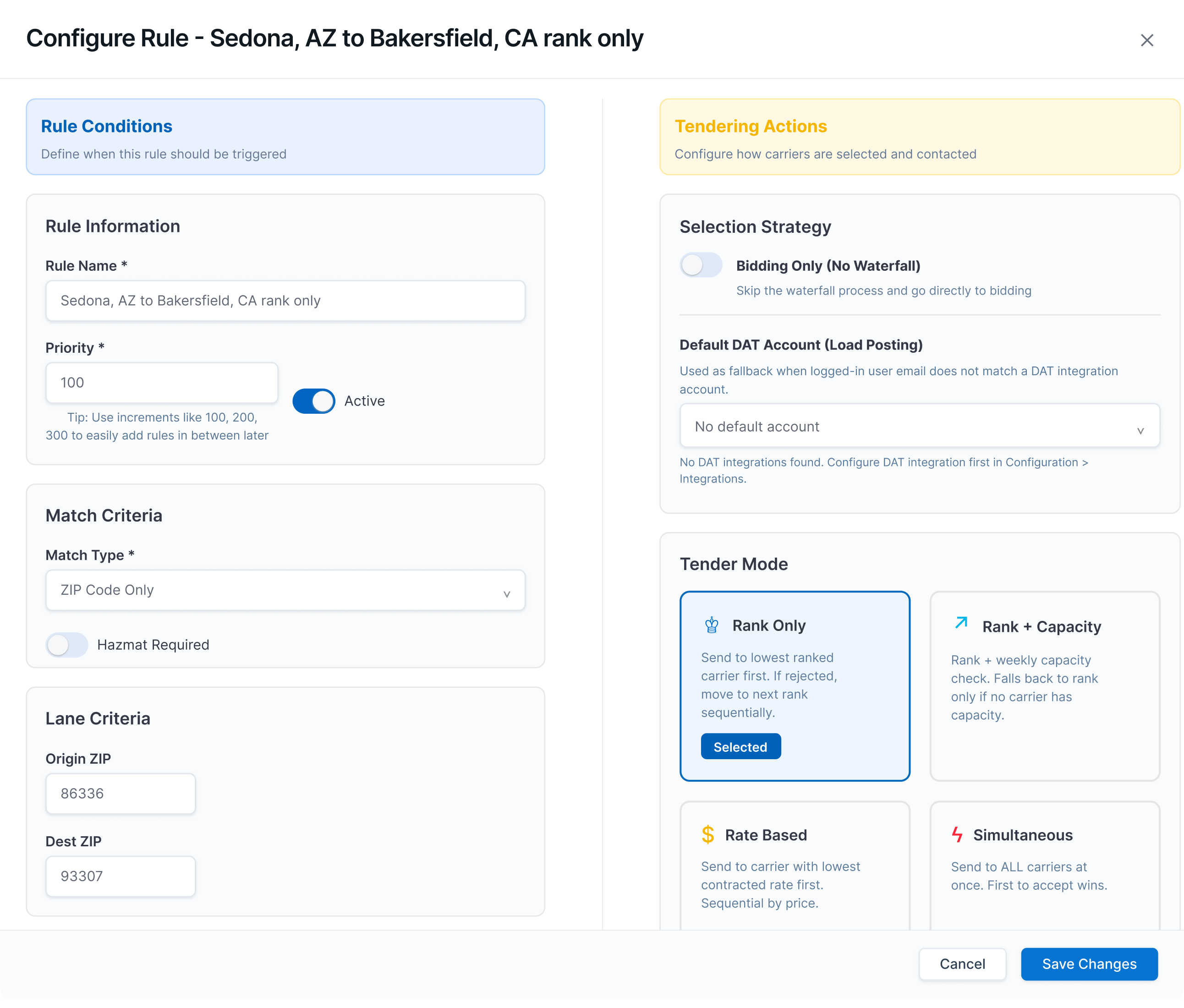
Turn your coverage playbook into repeatable tendering rules. Match the right freight with the right carrier strategy, keep dispatch in control, and ensure every load has a next step when a carrier declines or times out.
- Define the Rule: Name the rule, set its priority, choose whether it is active, and decide when it should apply.
- Match the Freight: Set the conditions that trigger the rule: lane, city, state, ZIP, customer, equipment type, load type, hazmat requirement, or trigger mode.
- Screen the Carriers: The compliance pre-filter removes anyone without active insurance or valid authority before the first tender sends.
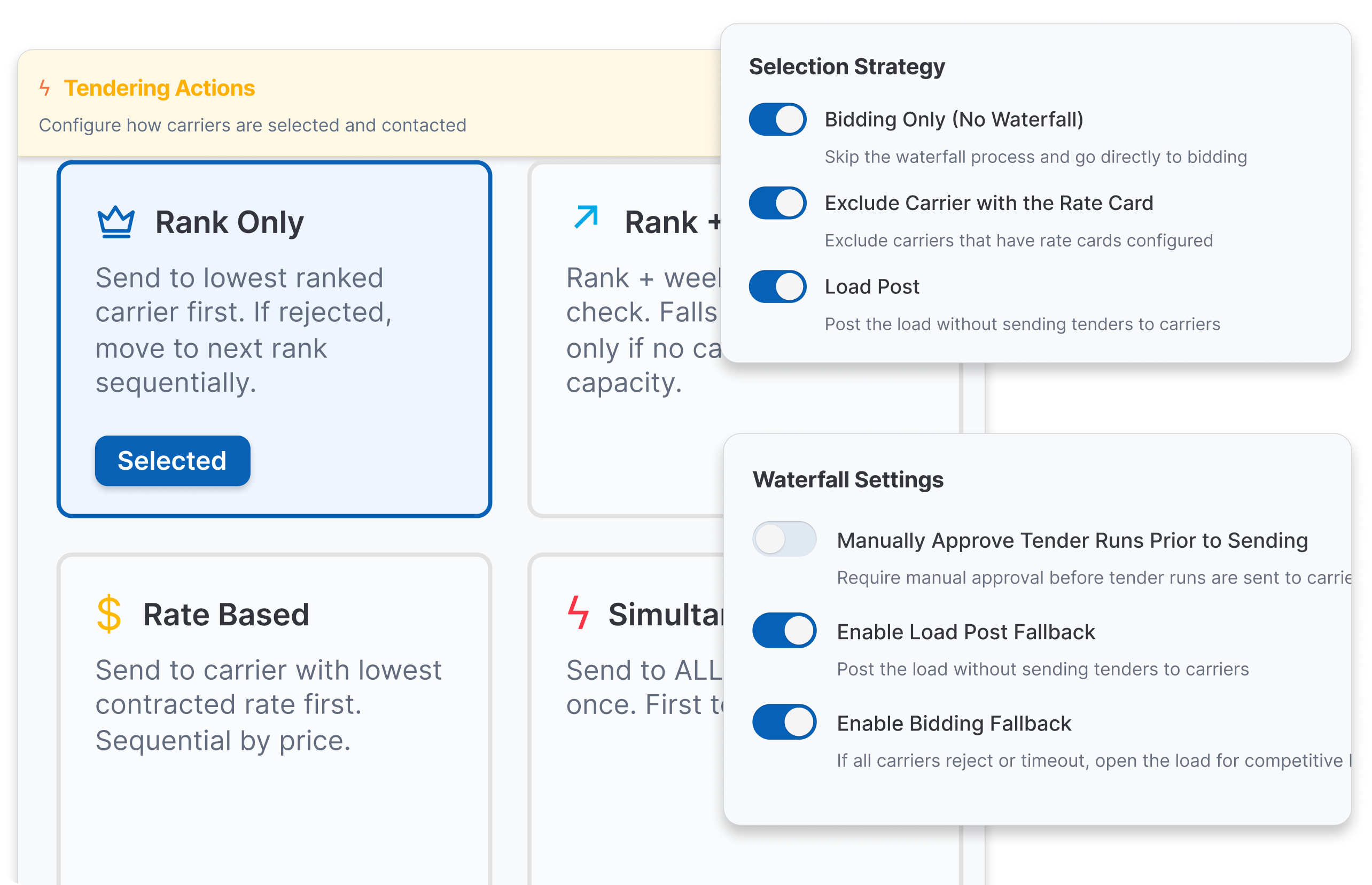
- Select the Tender Mode: Use rank-only, rank plus capacity, rate-based tendering, simultaneous tendering, or bidding-only, depending on the load and carrier network.
- Set Automatic Fallback: Require manual approval before sending, post the load when no carrier accepts, or open the load for bidding if the sequence rejects or times out.
AI-POWERED TENDER SEQUENCING
Secure Coverage Before the Tender Goes Out
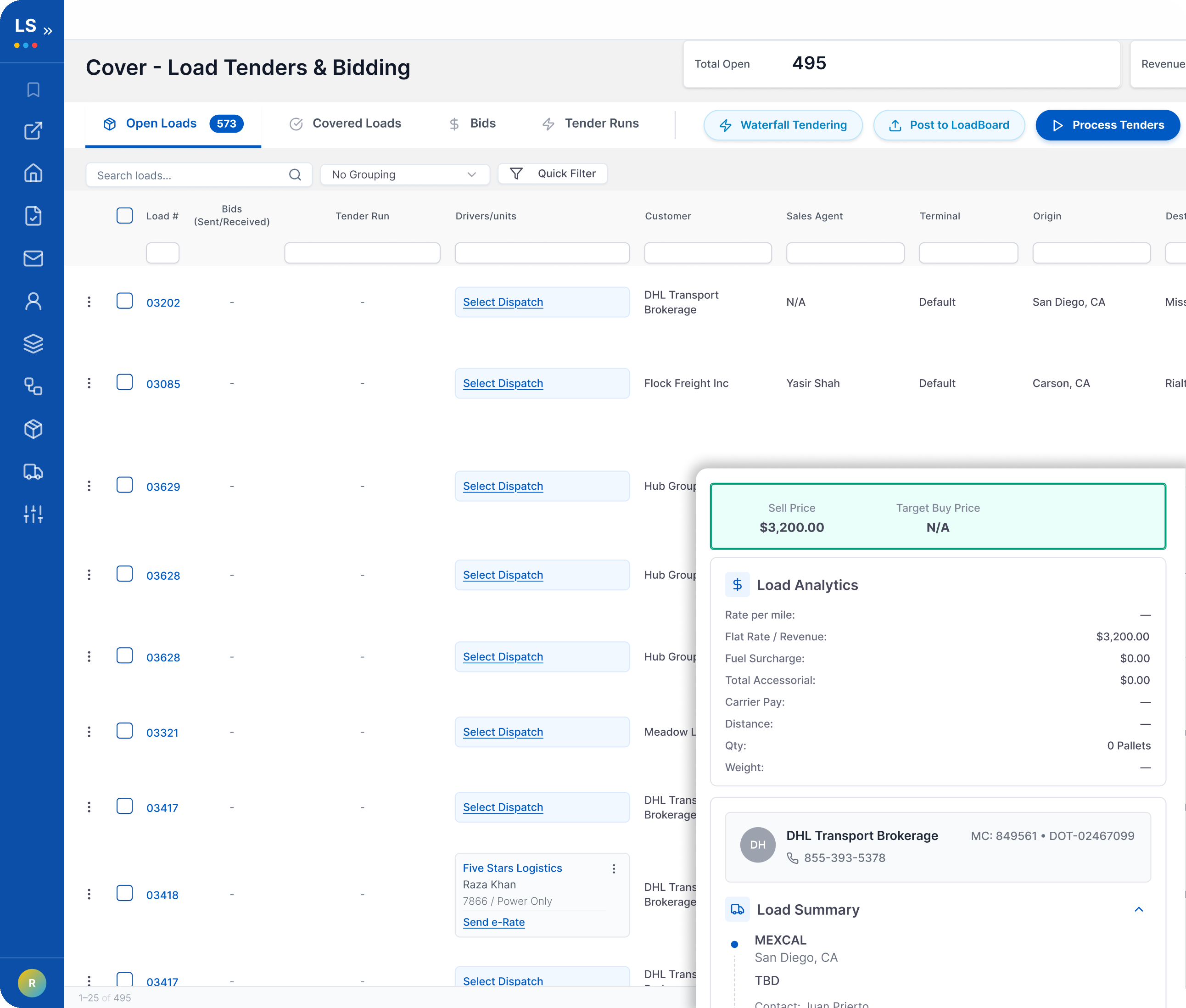
Tender history, lane patterns, and recent carrier activity are ordered for each sequence, leading to fewer wasted tenders, fewer avoidable rejections, and faster coverage on the loads where service is at risk.
- Rank carriers by likelihood to accept, based on lane performance and recent activity
- Reorder sequences when capacity tightens or corridor conditions shift
- Auto-flag rates likely to trigger an avoidable rejection before the sequence starts
- Prioritize urgent loads with shorter sequences and tighter response windows when service is at risk
- Follow up on unanswered tenders by AI Inbox, so silence does not cost you the window
Success Stories
Proven Results From Real Operations
See how fleets and brokerages across the country are using LoadStop to operate more efficiently.
Frequently Asked Questions
Common Questions, Clear Answers
Don't see what you need? Schedule a demo with our sales team.
Ready to Move More Freight with Less Effort?
See how LoadStop cuts the manual work out of your freight operations.